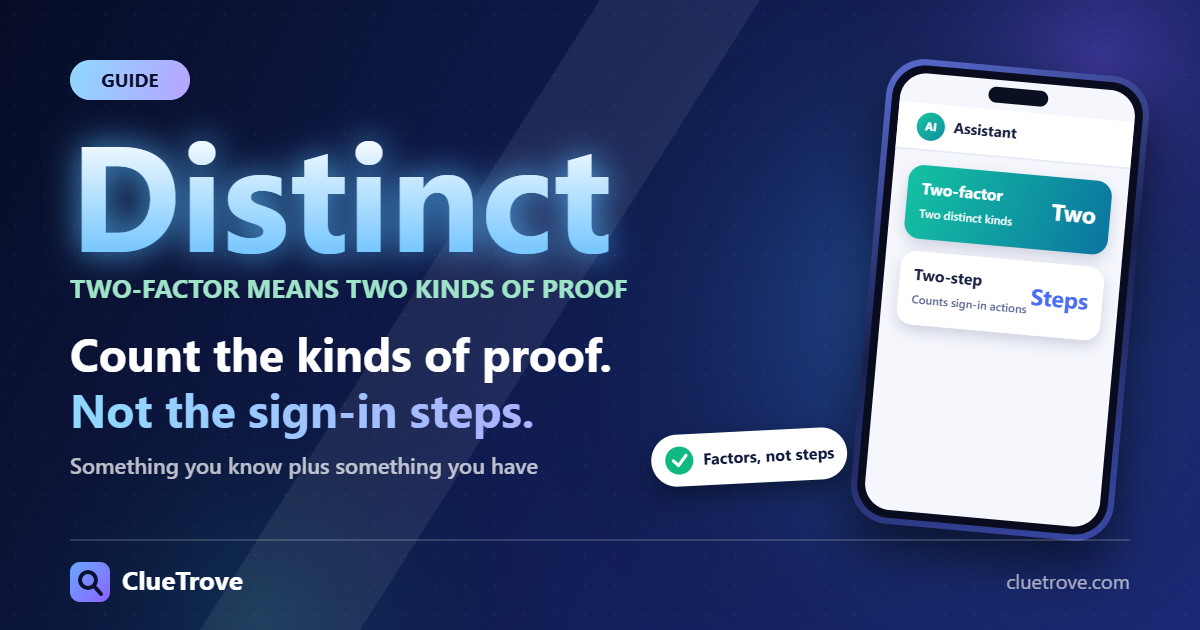
The difference is factor types. Two-factor means two distinct kinds of proof, such as something you know plus something you have; “two-step” only counts sign-in actions. Pick the strongest second step on offer, whatever the name.
The short answer
- The test: NIST calls it multi-factor authentication only when the factors are distinct types: something you know, something you have, something you are.
- Why it matters: a password followed by a security question is two steps, but both are things you know. That is my example, not NIST’s.
- The names: Google says 2-Step Verification and Apple says two-factor authentication. Neither page ranks one name above the other.
- Weakest second step: a text or voice code. The strongest: a passkey or hardware security key.
How do NIST, Google and Apple name it?
| Source | Term it uses and what it says |
|---|---|
| NIST SP 800-63B-4 | Multi-factor authentication: “more than one distinct type of authentication factor”; the types are something you know, something you have, something you are |
| 2-Step Verification: an extra layer of security in case your password is stolen | |
| Apple | Two-factor authentication: an additional layer of security for your Apple Account |
The sources read on 21 October 2026 do not rule on “two-step” versus “two-factor”. NIST says “multi-factor”, and each company uses its own product name. Treat the names as labels and judge the method behind them.
What is the real test NIST gives?
NIST SP 800-63B-4, hosted at pages.nist.gov, defines multi-factor authentication as a system that needs more than one distinct type of factor. At the middle assurance level, AAL2, it requires proof of possession and control of two distinct factors.
So ask one question: are the proofs different types? A password plus a code from your phone passes. A password plus a security question fails, because you know both. “Step” is a count of sign-in actions; that is my reading, not a source’s wording.
What do Google and Apple actually require?
- Google: after setup you sign in with your password plus a second step, or with a passkey. A passkey skips the second step because it confirms you have your device.
- Apple: on a new device or the web you need your password and a verification code. The code shows on trusted devices or arrives at a trusted phone number. Apple says certain services, such as Apple Pay and Sign in with Apple, require two-factor authentication.
In both cases the second step is something you have: a phone, a device or a key. That fits NIST’s distinct-types test.
Which second step is weaker, and which is stronger?
| Second step | What the sources say |
|---|---|
| Text or voice code (SMS) | Google: a 6-digit code, more vulnerable to phone number-based attacks. NIST: use of the phone network for out-of-band verification is restricted |
| Authenticator app code | Google: generates one-time codes and works without internet or mobile service |
| Google prompt | Google: tap Yes or No to approve a sign-in; marked as recommended |
| Passkey or hardware security key | Google: the strongest protection against phishing |
| Backup codes | Google: 8-digit codes for use if you lose your phone |
| NIST: email shall not be used for out-of-band authentication |
SMS is restricted, not banned. NIST says verifiers must offer alternative authenticator types to all subscribers. They should also check risk signals such as SIM changes or number porting before sending a code. NIST may change this status as threats evolve.
Typing a code by hand is also phishing-prone. NIST says manually entered codes, from out-of-band messages or one-time passwords, are not phishing-resistant, because manual entry does not bind the code to the specific session. Phishing resistance is required at AAL3 and recommended at AAL2, where an option must be offered.
What should you do when you set it up?
- Ignore the name. Read what the second step is: a code, a prompt, an app or a key.
- Choose a passkey or security key where the service offers one. Google ties these to phishing protection.
- If you must use a phone number, treat texts as the weaker option. Add a second method if offered.
- Save backup codes before you need them. Google’s are 8 digits and cover a lost phone.
- Skip email as a second step. NIST says it shall not be used for out-of-band authentication.
Questions and answers about two-factor and two-step verification
Is 2-Step Verification the same as two-factor authentication?
In practice, yes for most people. Google’s feature uses a password plus a second step. That meets NIST’s two-factor test when the second step is something you have, such as a phone or key. A second step that is also something you know would not.
Is SMS allowed under NIST?
Yes, with limits. NIST restricts it, requires that alternatives be available, and recommends risk checks before a code is sent.
Why does Google recommend prompts over texts?
Prompts avoid the weakness of texts. Google says text and voice codes are more vulnerable to phone number-based attacks, and it marks prompts as recommended.
Does a passkey count as a second step?
It replaces the second step. Google says signing in with a passkey skips it, because the passkey already confirms you have your device.
What if I lose my phone?
Use your backup codes. Google issues 8-digit codes for exactly this case, so store them somewhere safe and separate from the phone.
Sources
- NIST SP 800-63B-4: Digital Identity Guidelines, Authentication and Authenticator Management (NIST)
- Turn on 2-Step Verification (Google Account Help)
- Two-factor authentication for Apple Account (Apple Support)
Facts read on 21 October 2026.