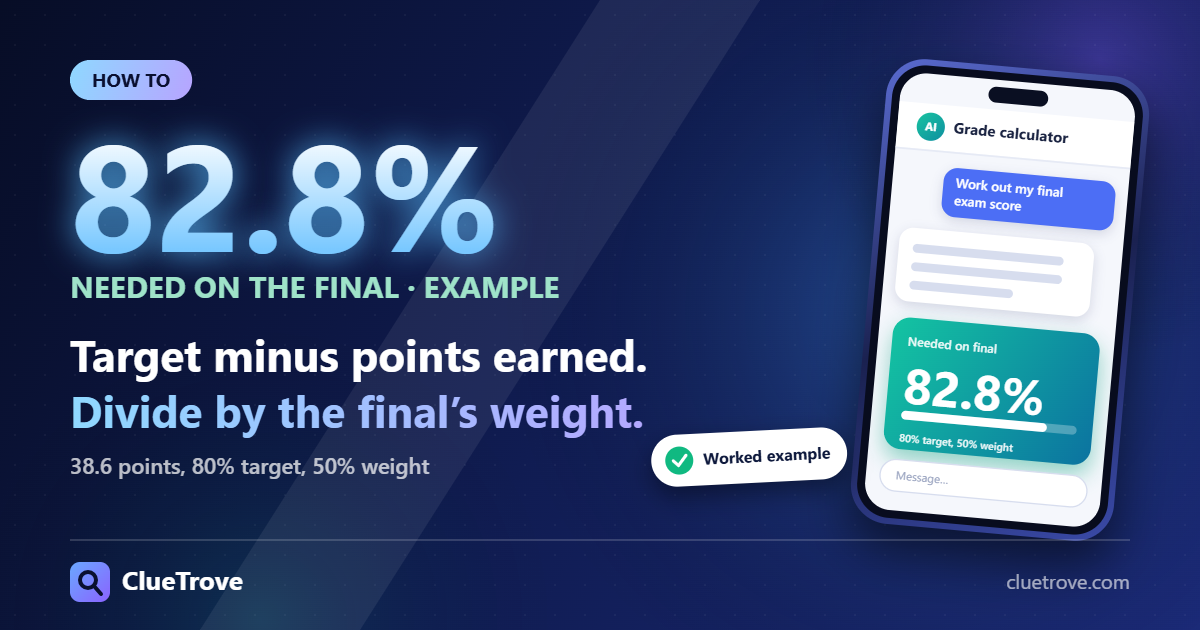
Subtract the points you have earned from your target, then divide by the weight of the final. With 38.6 points earned, a target of 80% and a final worth 50%, you need 82.8%. ClueTrove’s grade calculator for the score needed on your final does the math for you.
The short answer
- Formula: needed average = (target − points earned) ó remaining weight. This works when your weights add up to 100%. The final is the only ungraded item, so the remaining weight is the final’s weight.
- Weights not 100? First multiply your target by total weight ÷ 100. Or convert points earned and remaining weight into percentages of the total weight.
- Letter target: use the cut-off for the letter. On the tool’s plain US letters scale, a B starts at 80%. Check your syllabus, because courses differ.
- Worst and best case: zero on the final leaves you at 38.6% (F) in the example. Full marks lifts you to 88.6% (B).
- Quick form: if you only know your current grade and the final’s weight, use needed = (target − current × (1 − w)) ÷ w, where w is the weight as a fraction.
Why does this formula work?
Course grades are usually a weighted average. To get a weighted mean, multiply each value by its weight, add the products and divide by the sum of the weights. Only the relative sizes of the weights matter, so any weighted mean can be rewritten with weights that add up to one. A weight of 50% works the same as 0.5.
To find the score you need on one remaining item, write the weighted-average equation with that item’s score as the unknown, set it equal to your target and solve with algebra. The Grade Calculator applies this rule. If more than one component is still ungraded, the remaining weight is their combined weight, and the result is the average percentage you need across all of them.
What does a worked example look like?
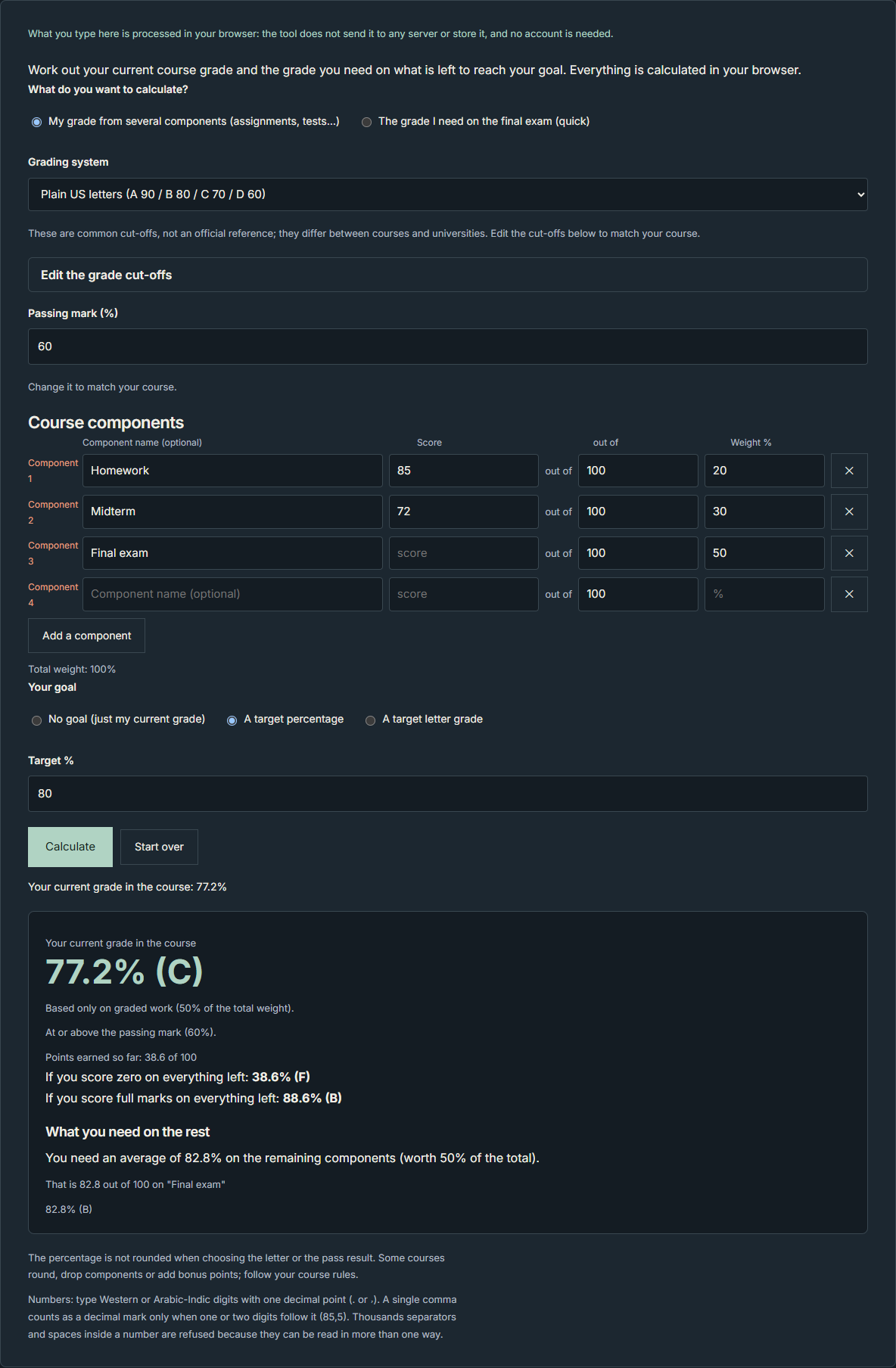
- Homework: 85 out of 100, weight 20%, which adds 17 points.
- Midterm: 72 out of 100, weight 30%, which adds 21.6 points.
- Final exam: not graded yet, weight 50%.
You have earned 38.6 of 100 points. That is a current grade of 77.2% on the graded half of the course. For a target of 80%, you need 80 − 38.6 = 41.4 more points. The remaining weight is 50, so 41.4 ÷ 50 = 0.828. You need 82.8% on the final.
Notice the gap. Your current grade is 77.2%, yet you must score higher, 82.8%, because the final carries half the weight and you must make up the shortfall there.
How do you use a letter grade as your target?
Use the cut-off for the letter as your target percentage. On the tool’s plain US letters scale, a B starts at 80%. Your course may use different cut-offs, so check your syllabus. In our test of the quick form, a current grade of 77.2% with a final worth 50% and a target letter of B needed 82.8%.
How do you calculate it with the Grade Calculator?
Using your course components
- Under “What do you want to calculate?”, choose “My grade from several components (assignments, tests…)”.
- Under “Grading system”, pick “Plain US letters (A 90 / B 80 / C 70 / D 60)”. If your course uses other cut-offs, use “Edit the grade cut-offs”.
- Check the “Passing mark (%)”.
- In “Course components”, fill in “Component name (optional)”, “Score”, “out of” and “Weight %” for each graded part.
- Use “Add a component” for the final exam. Enter its “Weight %” and leave “Score” empty.
- Under “Your goal”, choose “A target percentage” and fill in “Target %”, or choose “A target letter grade”.
- Press “Calculate”.
- Read “Your current grade in the course”, “Points earned so far” and “What you need on the rest”.
Using the quick final-exam form
- Under “What do you want to calculate?”, choose “The grade I need on the final exam (quick)”.
- Enter “Your current grade %”.
- Enter “Final exam weight %”.
- Under “Your goal”, choose “A target percentage” or “A target letter grade”.
- Press “Calculate”.
Use the components mode if you have each score and weight from your syllabus. Use the quick form if you already know your current percentage and the final’s weight.
What if you score zero, or full marks, on the final?
While components are still ungraded, the tool shows two bounds:
- “If you score zero on everything left”: only the points you have already earned count. In the example above, that gives 38.6% (F).
- “If you score full marks on everything left”: the remaining weight is added in full. In the example, that gives 88.6% (B).
The tool can also give these special results:
- Already reached: you meet the goal even with zero on everything left. With 95/100 at weight 80 and a target of 70, the page said your final grade will be at least 76%.
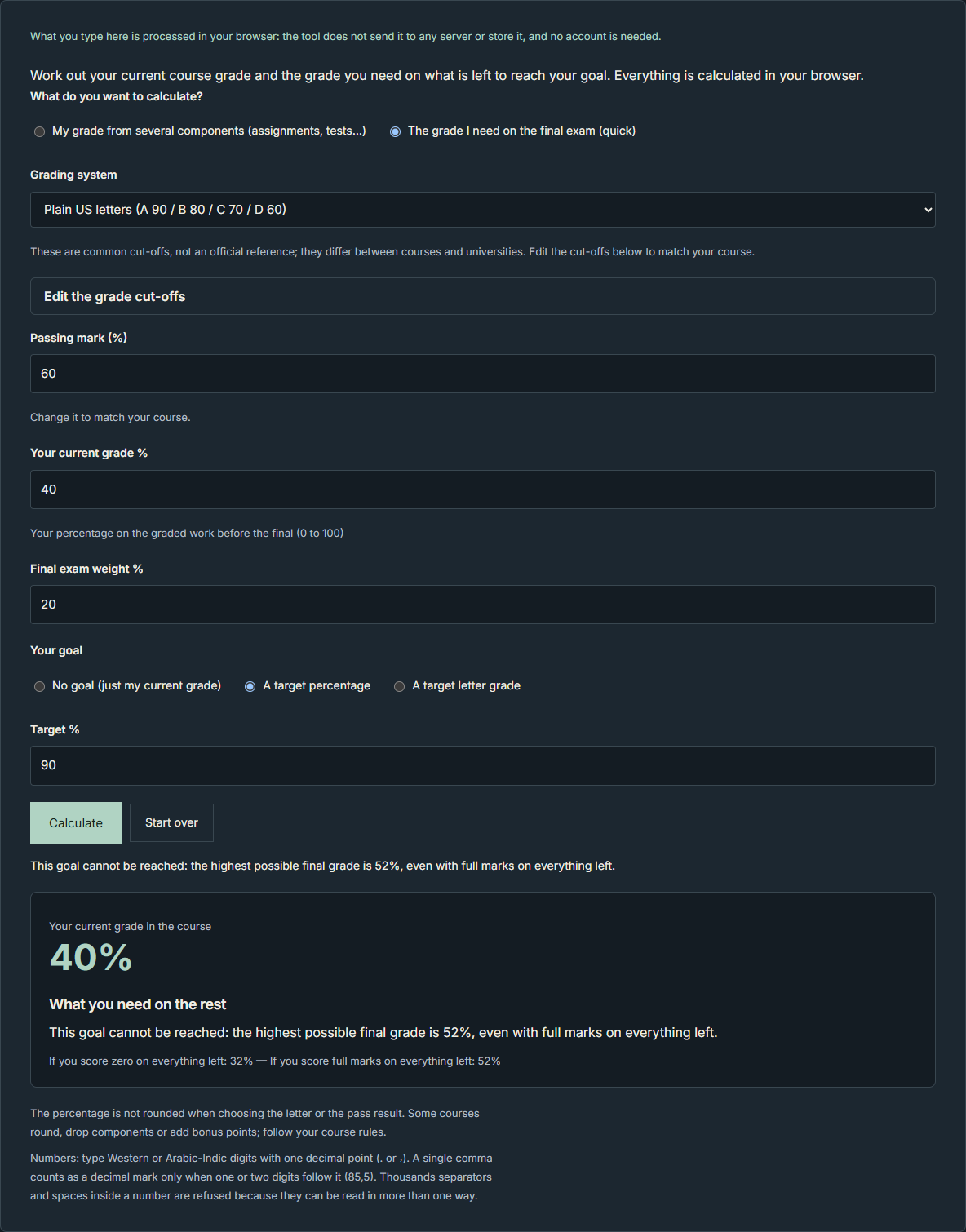
- Cannot be reached: the goal is higher than the best possible result, even with full marks. With 40/100 at weight 80 and a target of 90, the highest possible final grade was 52%.
- Nothing left: if every component is graded, your final grade is your current grade.
Who should use this, and what mistakes should you avoid?
- Use it: before study planning, when you know your scores and the final’s weight and want a realistic target.
- Check the weights: the answer assumes the weights you enter are right. Copy them from your syllabus.
- Do not count on a curve: the result assumes no rounding, dropped scores, curve or bonus points.
- Do not assume equal scores: with several items left, the answer is an average across all of them.
- Recalculate after edits: editing a field hides the result until you press “Calculate” again.
What did we test?
These are the results of ClueTrove’s own test of its Grade Calculator, live build 1.6.0, tested on 2026-10-07. The tests ran on a local copy of the files fetched from the live site. We used Microsoft Edge 154.0.4258.48 (headless, Windows 11) with playwright-core 1.63.0 and synthetic inputs only. An independent exact-fraction checker re-computed every answer. We ran the English and Arabic pages with the same inputs. Other inputs can give different results, and these numbers are not a promise about your course.
- Current grade and points: Homework 85/100 (weight 20), Midterm 72/100 (weight 30) and an empty Final exam (weight 50) gave 77.2% (C), based on 50% of the total weight, with 38.6 of 100 points earned. Two components of weight 30 each (90/100 and 70/100) gave 80% and 48 of 60 points. 11 hand-checked cases and 100 random cases per language matched the checker.
- Needed score: a target of 80% in the example above needed 82.8%, which is 82.8 out of 100 on the final. With 8/10 at weight 10, 45/60 at weight 30, a final out of 200 at weight 60 and a target of 75, the result was 74.17%, which is 148.33 out of 200. A target letter of A (90) with a midterm of 84 at weight 40 needed 94% on a final of weight 60. With nothing graded and a target of 80%, every component needed 80%. A target of exactly 100 was achievable and needed 100%.
- Best and worst case: 38.6% (F) with zero and 88.6% (B) with full marks for the example above.
- Quick form: current 77.2, weight 50 and target B (80) gave 82.8%. A grid of 7 current grades × 6 weights × 4 targets (168 combinations per language, 336 in all) matched the exact formula. A current grade of 40 with weight 20 showed 32% with zero and 52% with full marks. Current grades above 100 (100.01, 120, 1000) were refused, and 100 was accepted. A weight of 0, a negative weight, a weight above 100 or a blank weight was refused.
- Rounding: percentages show two decimals, rounded half-up, but letters and pass results use the exact value. A score of 59.995 showed as 59.995% (F) with a note explaining the extra decimals. 810 single-score checks and 192 on-the-cut-off combinations per language had 0 differences.
- Input handling: “85,5” was read as 85.5. Ambiguous entries such as “85,125” and “1,000” were refused with an explanation. A component with a name but no weight was flagged.
- Editing: the target-letter list followed changes to the cut-off table. A custom table with no grade starting at 0% was refused. Editing a field after a result hid that result until you press “Calculate” again. In our test, nothing was stored or sent.
What are the limits?
- The letter cut-offs (plain US letters A 90 / B 80 / C 70 / D 60 and the other presets) and the passing mark of 60 are the tool’s displayed conventions. The page says they are not an official reference and that they differ between courses.
- The needed score is the average percentage you need on all components still ungraded, based on the weights you enter. It assumes the same percentage on every remaining component.
- The tool accepts weights that do not add up to 100%. It then calculates percentages on the total of the weights you entered and shows a warning.
- Percentages show two decimals, or more when the exact value is very close to a cut-off or the passing mark.
- Not tested: the live pages in a browser, and any school’s real grading rules, rounding, curving, dropped lowest scores, extra credit, minimum-on-the-final rules or transcripts.
- Not tested: phones and real touch devices (only touch emulation at 390×844), browsers other than headless Microsoft Edge 154.0.4258.48, screen readers and printing.
- Not tested: repeat-run flakiness. The final run was done once, after a first run had 3 failing checks caused by mistakes in the tester’s own expectations.
- Not tested: speed, or any comparison with other calculators.
Related tools
Both ways to answer the question live in ClueTrove’s Grade Calculator for weighted course grades and final exam targets.
FAQ
What do I need on my final to get a B?
It depends on your current grade and the final’s weight. A B starts at 80% on the tool’s plain US scale. With a current grade of 77.2% and a final worth 50%, you need 82.8%. Your course may use different cut-offs.
What if I get zero on the final?
Your grade is then only the points you have already earned. With 38.6 of 100 points earned, zero on the final gives 38.6% (F) on the tool’s plain US scale. The calculator shows this as the worst case.
What does “cannot be reached” mean?
Your target is higher than the best possible result, even with full marks on everything left. With 40/100 at weight 80 and a target of 90, the highest possible final grade was 52%.
Do my weights have to add up to 100?
No. The calculator accepts other totals, shows the total weight and calculates percentages on it. By hand, base your target on the total weight. Take two components weighted 30 each, one graded 90/100 and one ungraded, with a target of 80%. You have earned 27 of 60 points. Your target is 80% of 60, which is 48 points. That leaves 21 points to earn on the remaining weight of 30: 21 ÷ 30 = 70%.
Does it account for curves or dropped scores?
No. The result assumes no rounding, dropped scores, curve or bonus points, which the page notes some courses use. If your course uses them, treat the answer as a rough guide.