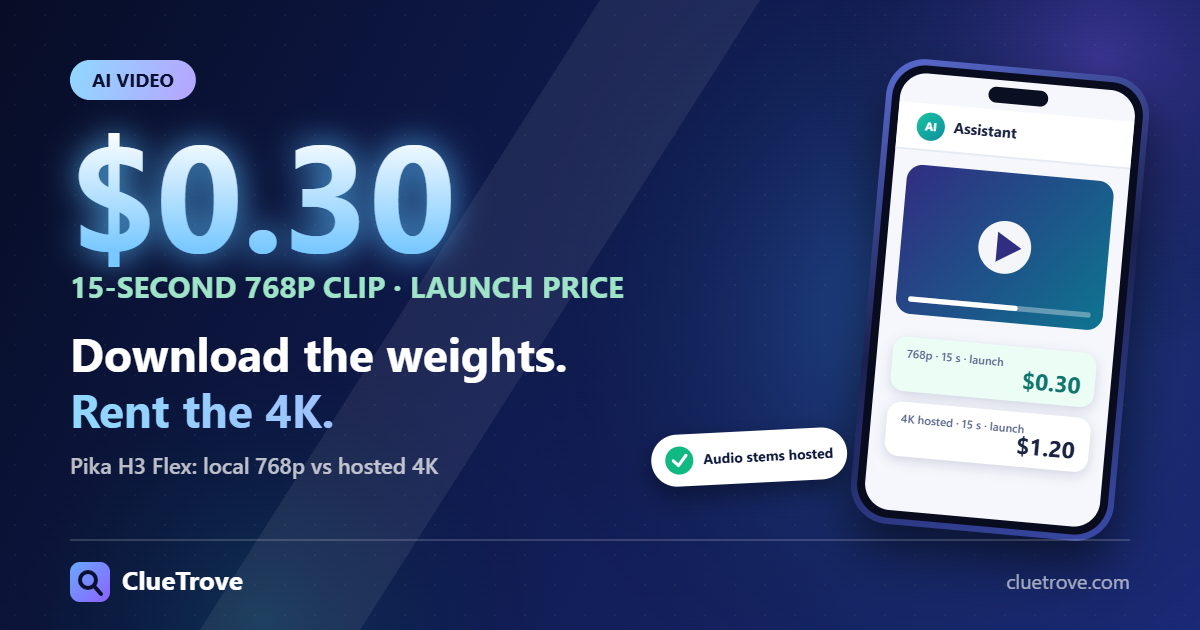
Downloading Pika H3 Flex gets you native 480p or 768p video with mixed stereo audio, run on your own GPU. The 1080p, 2K and 4K upscaling and the separate audio tracks stay hosted at Pika.
For a 15-second clip, our arithmetic from Pika’s price table gives $0.60 at 768p regular price and $0.30 at the launch price. That is an estimate, not an invoice.
The short answer
- Local: adapters and inference code for text-to-video, first and last frame, and reference-to-video, at 480p and 768p, per Pika.
- Hosted only: the 1080p/2K/4K upsampler, audio-stem separation, optional prompt enhancement and the accelerated serving stack.
- Cost: hosted price is dollars per second of output video, so multiply by clip length.
- Licenses: three different ones apply. A code license does not cover the weights or the example media. The MiniMax license also excludes the United States, the EU, the UK and South Korea from its grant.
- Timing: the API is available now. Pika says Flex arrives in its creation product on 2 November.
What do you get locally versus hosted?
Pika announced Flex on 29 October 2026. It is a MiniMax H3 model post-trained to generate in six steps instead of 50. The open release has adapters and inference code. Pika’s Hugging Face page lists about 210 GB of MiniMax H3 base components that you must pair with the adapters, plus about 5.5 GB for the adapters themselves, per the GitHub page.
| Feature | Local (open release) | Hosted (Pika API) |
|---|---|---|
| Native resolution | 480p or 768p | 480p or 768p |
| Upscaled to 1080p, 2K, 4K | No | Yes, via Pika’s upsampler |
| Audio | 32 kHz stereo, mixed into the video | Mixed, plus optional separate stems |
| Separate audio tracks | No | Dialogue, Score, SFX, Foley, Ambience |
| Prompt enhancement | Not included | Optional |
| Who runs it | You, on one NVIDIA GPU per request | Pika |
| Output | MP4 plus JSON metadata, 24 fps | Depends on the options you request |
Pika lists one H100 with 80 GB as the tested setup. An optional CPU-offload flag lowers GPU memory use but needs a lot of host RAM and adds transfer time. Pika also says local speed will not necessarily match hosted speed.
What does the 15-seconds-in-7-seconds claim mean?
Pika says a 15-second 768p clip with audio can take as little as seven seconds of transformer computation. Its footnote says this is a controlled benchmark and not total end-to-end API latency. References, higher-resolution finishing, stem separation, hardware and service overhead all change completion time. It says nothing about your machine.
How do you estimate a clip’s cost?
Pika’s pricing page charges per second of output video. For text, image and keyframe generation, the rule is simple: price per second times clip length.
Our arithmetic, not an invoice and not a paid generation. Assumptions: 15 seconds, text/image/frames table, no video reference, no extras, one attempt.
| Output | Per second (regular) | 15 seconds (regular) | Per second (launch) | 15 seconds (launch) |
|---|---|---|---|---|
| 768p | $0.04 | $0.60 | $0.02 | $0.30 |
| 4K hosted | $0.16 | $2.40 | $0.08 | $1.20 |
Pika’s page lists launch prices but no end date for them. Plan on the regular column if you budget past the launch period.
When the example does not apply
- Video reference: a separate table applies. Pika bills input-video seconds plus output-video seconds. At 768p regular that is $0.12 per second. Our arithmetic: 5 seconds of reference video plus a 15-second output is 20 billable seconds, or $2.40.
- Audio stems: Pika lists $0.001 per second at regular price, with no launch price.
- Draft-to-video: Pika says finishing a 480p or 768p draft at a higher resolution keeps the same take and audio, and you pay only the difference.
- Retries: every extra take costs again. Price per second is not price per finished clip. The same idea is in our piece on why a cheaper model can cost more per finished task.
Pika also lists an API Club promotion of 15 free generations per day from 29 October to 5 November. Check eligibility on its page.
Which license covers what?
This is a plain reading of Pika’s pages and of the MiniMax H3 license text (dated 2 August 2026), not legal advice.
Check your country first. The MiniMax license grants its rights only within an Applicable Territory, which it defines as worldwide excluding the European Union, the United Kingdom, the Republic of Korea and the United States. It says using the works or their outputs outside that territory is not authorized by the agreement, and it invites people in the excluded territories to contact MiniMax about a license. If you are in one of those places, using the downloaded weights is a question for MiniMax and your counsel. Hosted use runs on Pika’s service, so check Pika’s own terms for that.
- MiniMax H3 Community License: covers the adapters, which Pika calls derivatives of MiniMax H3, and the bundled MiniMax H3 base components.
- Other MiniMax conditions: a separate written authorization is needed if your commercial products generate more than 20 million US dollars in yearly revenue. Commercial products must display MiniMax H3 prominently in the user interface. You may not use the works or their outputs to improve other AI models, except MiniMax H3 and its derivatives. MiniMax may terminate the agreement if you breach it. Distributions must include the MiniMax notice file, and the adapters carry a Mellis, Inc. copyright notice in a NOTICE file.
- Apache-2.0: covers the inference and loader code, the Qwen encoder and the example Python code.
- Example media: Pika’s GitHub page says the code license does not cover model weights or example media. It gives no separate license for the showcase files, so do not reuse them as your own.
Read the full MiniMax license text before you ship a product. A permissive code license never replaces it.
Who should do what?
Download if
You are outside the license’s excluded territories, you can match Pika’s tested setup (one 80 GB H100), can store about 210 GB of base components plus 5.5 GB of adapters, and need 480p or 768p output on your own hardware. Batch work that you cannot send to a third party fits here too.
Use the API if
You need 1080p to 4K output, separate audio stems, or Pika’s prompt enhancement. Also use it if you have no big GPU and want a predictable per-second cost.
Wait for 2 November if
You want to use Flex inside Pika’s own creation product. Pika says it is coming there on that date, so it should not be assumed to exist for every account yet.
What to do next
- We suggest writing down your target resolution and clip length first. They decide the path.
- We suggest multiplying the table price by clip length, then by the number of takes you expect.
- Add stems, or video-reference seconds, only if you will use them.
- Read the MiniMax H3 Community License before any commercial use.
Questions readers ask
Does the download include 4K?
No. Local files generate natively at 480p or 768p. The 1080p, 2K and 4K upsampler is a Pika-hosted feature.
Can I get separate dialogue and music tracks locally?
No. Local output has stereo audio mixed into the MP4. Pika offers five separate stems through its API.
Is a 15-second clip really generated in 7 seconds?
No, not as a promise. Seven seconds is transformer computation in a controlled benchmark, not the full request time.
Is the model free because the code is Apache-2.0?
The code is. The adapters fall under the MiniMax H3 Community License, and the code license does not cover the weights.
What do I pay for a 4K clip of 15 seconds?
By our arithmetic, $2.40 at the regular price or $1.20 at the launch price, with no video reference and no extras.
Can I run the downloaded weights in the United States?
The MiniMax license text lists the United States among its Excluded Territories and says use outside the Applicable Territory is not authorized by the agreement. Ask MiniMax or counsel before you rely on local weights there. This is a reading of the text, not legal advice.
Glossary
- Adapter (LoRA): a small add-on file that changes a base model’s behavior. It needs the base components to run.
- Upsampler: a tool that raises resolution and adds detail to a finished clip.
- Audio stems: separate tracks, such as dialogue and score, instead of one mix.
- Reference-to-video: generation guided by images, video or audio you supply.
Sources
- Pika, Pika H3 Flex announcement
- Pika, Pika H3 Flex pricing and features
- Pika Labs, Pika-H3-Flex on Hugging Face
- Pika Labs, Pika-H3-Flex on GitHub
Facts read on 31 October 2026.
Part of the guide: AI model pricing and API cost guide.