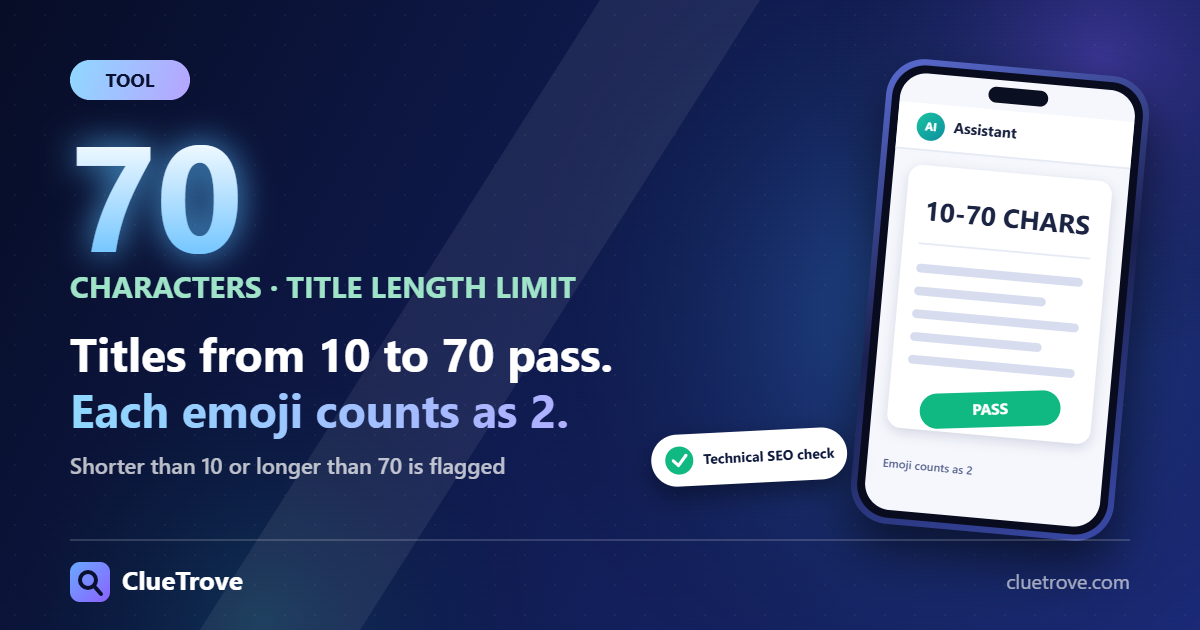
ClueTrove’s Technical SEO check flags a page title shorter than 10 or longer than 70 characters. Anything from 10 to 70 passes, and each emoji counts as 2.
The flag appears in the Store or Product Technical Checker as “Titles that are very short or very long” (low priority). The limits come from our tests of the tool, not from a search engine rule.
The short answer: the limits and how they are counted
- Too short: fewer than 10 characters. A title of 9 characters was flagged and a title of 10 was not.
- Too long: more than 70 characters. A title of 71 was flagged and a title of 70 was not.
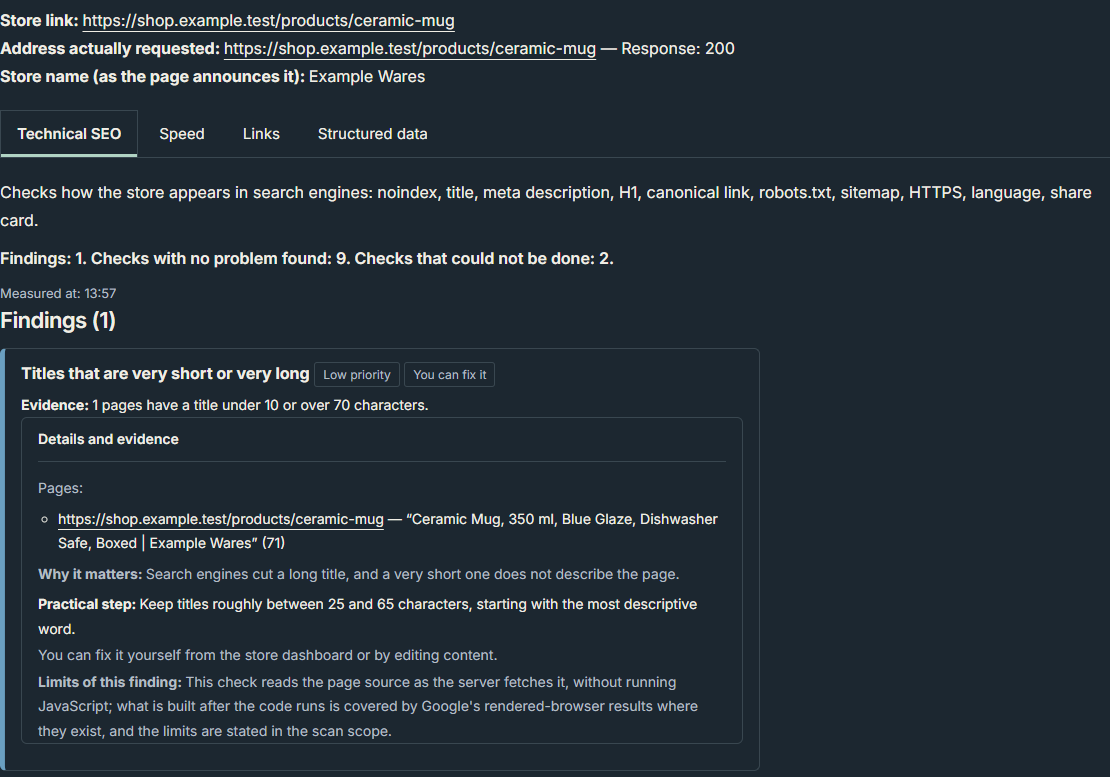
- Priority: the finding is marked “Low priority” and “You can fix it”. Its evidence line reads “Evidence: 1 pages have a title under 10 or over 70 characters.”
- Advice versus limits: the finding also advises roughly 25 to 65 characters, but that range is advice only. Titles of 20 and 68 characters both passed, and so did anything between 10 and 25 or between 65 and 70.
- Why the limits exist: the tool’s own text says search engines cut a long title. That is the tool’s statement. Our tests do not show how any search engine displays a title.
For background, the HTML title element defines the document’s title, which a browser shows in its title bar or in the page’s tab. It contains only text, and any HTML tags inside it are treated as plain text (MDN: the title element).
How to check your page title length
- Open the “Technical SEO” tab of the checker.
- Paste your product or store address into “Store link or product page link”.
- Press “Check: Technical SEO”.
- Look for the finding “Titles that are very short or very long”.
- Open “Details and evidence” to see the page line, which shows the title and its length in brackets, for example (71).
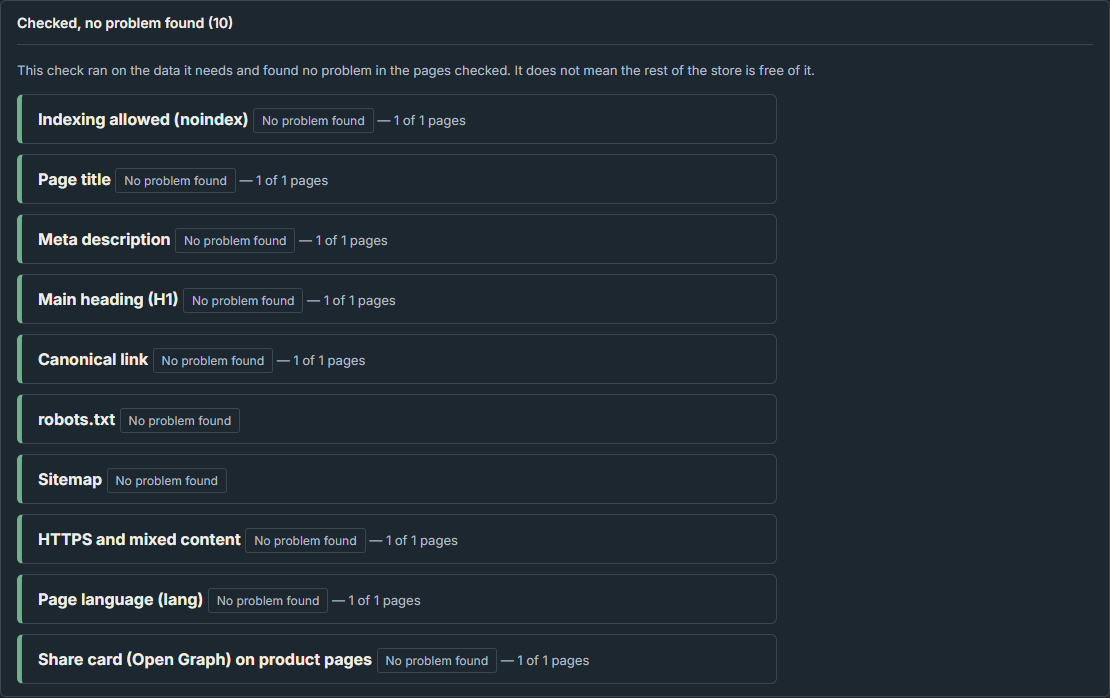
- If the title is fine, open “Checked, no problem found” and find the “Page title” row marked “No problem found”.
- To find titles repeated across pages, run the check again with a store link and look for “Different pages sharing one title”.
In the screenshot of a 71-character title, the summary line read “Findings: 1. Checks with no problem found: 9. Checks that could not be done: 2.” The one finding was the low-priority title finding, and the opened details showed the page line with the number (71).
How are characters counted: spaces, & and emoji?
In our tests, the tool counted the characters of the title text as the browser reads it. It did not count the raw source.
- Entities: a title written in the source as “Tea & Mug” (13 characters) was shown as “Tea & Mug” with length (9). It was flagged as too short.
- Extra spaces and line breaks: a title padded with extra spaces and a line break was read as “Ceramic Mug 350 ml” and was not flagged. A title with spaces and a tab was read as “Mug Set” with length (7) and was flagged.
- Emoji: each emoji counted as 2. “Mug 😀😀😀” has 7 visible characters but was not flagged. A title of 50 letters followed by 15 emoji has 65 visible characters but was flagged with the length (80).
The emoji results match how JavaScript measures text. The length property of a JavaScript string gives its length in UTF-16 code units, not in characters. A character outside the basic range, such as an emoji, can therefore count as 2. MDN’s example is the single emoji “😄”, whose length is 2 (MDN: String length). The tool’s own wording says only “characters”.
Arabic titles: the same limits applied. Arabic titles of 9 and 71 characters were flagged, and titles of 10 and 70 were not.
What happens with a missing title or a title shared by two pages?
A missing title is a bigger problem than a long one. It is high priority, while a repeated title is medium and a length problem is low.
- No title: four cases gave the finding “Pages without a title” (“High priority”, “You can fix it”) with the evidence “1 of the pages checked have no title tag.” and no length finding:
- no title element
- an empty title element
- a title with only spaces
- a page with og:title but no title element
- Same title on two pages: this needs a store link. With a product link, the tool reads only that product page.
- Identical titles gave “Different pages sharing one title” (“Medium priority”), with both pages listed.
- So did the same words in capitals and the same words with extra spaces.
- Titles that differed by one letter gave no finding.
- A 3-character title shared by both pages gave this finding and the length finding, with (3) on each page.
In the screenshot of a 70-character title, the opened list “Checked, no problem found (10)” showed ten rows, each marked “No problem found”. They included “Page title” with “1 of 1 pages”, “Meta description”, “robots.txt” and “Sitemap”.
What to do next
- Run the Technical SEO check on a product link to see one page’s title and its length.
- Fix a missing title first (high priority), then repeated titles (medium), then length (low).
- Run the check again with a store link to catch titles shared across pages.
- Count emoji as 2 each if you use them in titles.
Mistakes to avoid
- Treating 25 to 65 characters as a hard rule. The tool only advises it, and its flag starts at under 10 or over 70.
- Judging length from the raw source. The tool counts the text the browser reads, so an entity counts as one character.
- Assuming a clean result means the page is well optimized. A page without findings is not shown to be well optimized.
What we tested
These are the results of ClueTrove’s own test of its tool on the inputs listed below. Your pages may give different results.
Test setup
- Build and date: the Technical SEO tab, live build 1.7.0, tested on 2026-10-10.
- Files: a local copy of the live files, served from 127.0.0.1 with every outside request blocked.
- Browser: headless Microsoft Edge 154.0.4258.62 on Windows 11.
- Pages: synthetic pages of a fictional shop. A stub written by the tester replaced the real server fetcher.
- Expectations: the expected findings were written down before the run and not changed afterwards.
Results
- Plain letters (T1): titles of 3, 9, 10, 11, 20, 25, 65, 68, 70, 71, 72, 90 and 150 characters. Titles of 3, 9, 71, 72, 90 and 150 were flagged, and titles of 10, 11, 20, 25, 65, 68 and 70 were not. That is 26 of 26 runs as expected across the Arabic and English pages.
- Arabic letters (T2): titles of 9, 10, 70 and 71 characters. Titles of 9 and 71 were flagged, and titles of 10 and 70 were not. That is 8 of 8 runs as expected.
- Counting (T3): the entity case and the two spacing cases matched expectations. The two emoji cases did not match, because the expectations counted visible characters. All 4 emoji runs gave results consistent with counting each emoji as 2.
- Missing title (T4): 8 of 8 runs as expected.
- Shared title (T5): tested with a store link on a two-page fictional shop (“2 pages of the store were checked”). 10 of 10 runs as expected.
- Screen details (T6):
- In the length finding, a title longer than 80 characters is cut with an ellipsis. The number in brackets still shows the full length, for example 90 or 150.
- When a title finding exists, “Page title” is not listed under “Checked, no problem found”.
- Every run also showed unrelated robots.txt and sitemap findings, because the stub answered 404 for those files.
- There was no horizontal scroll at 390 px.
- Overall: 31 synthetic pages were checked on both the Arabic and the English page, for 62 case runs. On each page, 29 of 31 cases matched expectations. All runs had 0 blocked requests, 0 page errors and 0 console messages.
What the results do not cover
Limits of the results
- The pages were synthetic, and a stub answered for the server. Fetching a real store through the ClueTrove server was not tested.
- Only title length, as the tool counts it, was tested. The 25 to 65 advice and the statement that search engines cut long titles are the tool’s own words. Nothing here shows how a search engine displays a title.
- The flag depends on the tool’s count: under 10 or over 70, with an emoji counted as 2. The tests covered plain English letters, plain Arabic letters, one entity, extra spaces and two emoji cases. Other scripts, combining marks and other emoji were not tested.
- No effect on visits, rankings or clicks is claimed or measured.
- With a product link, only that page is read, so a repeated title shows up only with a store link. Which pages a real store link reaches was tested on a two-page fictional shop only.
- The Arabic and English pages gave the same findings for all 31 cases. Only the language of the wording differs.
Not tested
- Real URLs fetched through the ClueTrove server, including private addresses, redirects and rate limits.
- Real stores, themes or platform output.
- Titles changed by a script after the page loads. The tool reads the page source only.
- The other checks of the Technical SEO tab, except where they appeared next to the title result.
- How search engines, browser tabs or social previews shorten or rewrite titles.
- Any ranking or click effect of title length.
- Other browsers, real phones and tablets, and screen readers.
- JavaScript disabled, repeat-run flakiness (each suite was run once) and very large pages.
- The live pages in a browser.
- The Salla storefront API path added in 1.7.0, which is used only by other tabs.
Related tools
To check your own titles, run the Technical SEO tab of the ClueTrove Store or Product Technical Checker. Use a product link to check one page, or a store link to also catch titles shared across pages.
Questions and answers
Is a 20-character title flagged?
No. In our tests, titles of 20 and 68 characters were not flagged. They fall outside the tool’s 25 to 65 advice but inside its limits of 10 to 70 characters.
Why does my title with emoji show a higher number?
In our tests, each emoji counted as 2. Fifty letters plus 15 emoji showed (80) and were flagged. JavaScript string length counts UTF-16 code units, which gives this result.
Does & count as five characters?
No. In our test, “Tea & Mug” in the source was read as “Tea & Mug” with length (9). Extra spaces and line breaks were also collapsed before counting.
Why don’t I see “Different pages sharing one title”?
With a product link, the tool reads only that page. A repeated title can be found only with a store link, which reads the home page and a few category, product and policy pages.
What is worse than a long title?
A missing title. It is high priority, and a title with only spaces or an empty title element counts as missing. A repeated title is medium priority.