Add money in the Me tab: tap Add Money, choose “From a bank or debit card,” enter an amount and confirm. A debit card is typically instant; a bank takes about 3-5 business days.
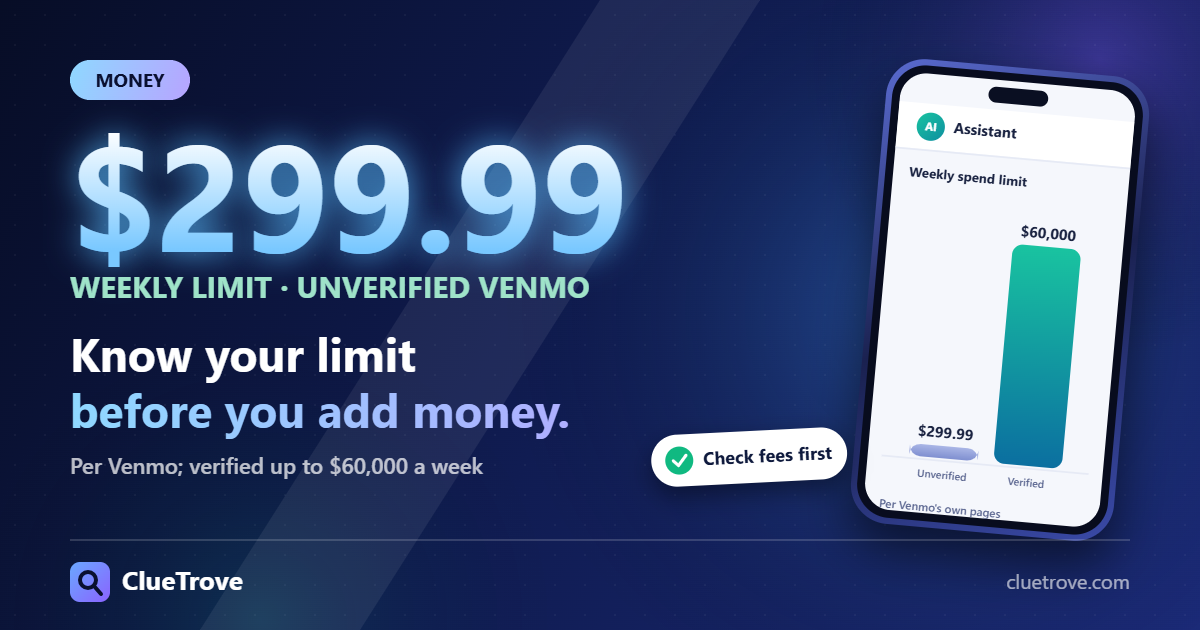
Check your limit before you plan a big payment. Venmo says an unverified personal profile can spend $299.99 a week and a verified one up to $60,000 a week. Its fee page lists 1.75% for Instant Transfer (min $0.25, max $25). This guide summarizes Venmo’s own pages as read on 20 October 2026.
The short answer
- Add money: Me > Add Money > bank or debit card > amount > confirm. Verify the bank first.
- Limits: $299.99 per week unverified; up to $60,000 per week verified.
- Fees: standard transfer free; instant 1.75%; sending with a credit card 3%; receiving goods-and-services payments 2.99%.
- Safety: never share your verification code, and only pay people you know.
How do you add money to Venmo?
- Open the Me tab and tap Add Money.
- Choose “From a bank or debit card.”
- Enter the amount and choose the method.
- Confirm.
Choose a debit card when you need the money fast, since it is typically instant. Choose a bank when you can wait. If a bank transfer has not arrived after 5 full business days, contact Support. The bank account must be verified first, and you can’t cancel once the transfer starts. Auto Reload is available if you want the balance topped up for you.
How much can you send on Venmo?
| Profile | Weekly spending limit |
|---|---|
| Unverified personal | $299.99 (person-to-person plus authorized merchants) |
| Verified personal | Up to $60,000; payments may still be declined for other reasons |
The gap is huge: a verified profile can spend about 200 times as much as an unverified one. If you split rent or pay for a trip, verify first. Bank-transfer limits of $999.99 per rolling week unverified, and $19,999.99 per rolling week and $5,000 per transfer verified, come from search summaries, so confirm them in the app.
Does Venmo charge fees?
| Item | Fee |
|---|---|
| Standard transfer to bank or debit card | $0 (1-3 business days to a bank, about 48 hours to a debit card) |
| Instant Transfer | 1.75% (min $0.25, max $25) |
| Sending with a credit card | 3.00% |
| Sending from balance, debit or bank | None |
| Receiving personal payments | None |
| Receiving payments marked goods and services | 2.99% |
| Adding cash at participating stores | $3.74 |
Worked example: an Instant Transfer of $100 costs $1.75. A transfer of $2,000 would be 1.75% of $2,000, or $35, but the $25 cap holds the fee at $25. Waiting for the standard transfer costs nothing. Sending $100 by credit card costs $3.
How do you avoid Venmo scams?
Venmo’s scam guidance gives clear rules:
- Never give anyone the verification code sent to your phone.
- Venmo won’t ask you to share your screen, install apps or send money to “verify” your account.
- When buying from strangers, use approved business accounts or mark the payment as a purchase to get Purchase Protection.
- Don’t return a mistaken payment yourself. Contact Venmo.
- Confirm a friend’s request outside the app.
Report problems via Me > Settings > Get Help.
Who should do what?
- Casual user paying friends: link a debit card or bank, send from balance and pay no fee.
- Anyone moving more than a few hundred dollars a week: verify your profile first.
- Sellers: expect 2.99% on payments marked goods and services, and keep personal payments for people you know.
Questions and answers about adding money to Venmo
Can I add money from a credit card?
No. The add-money flow offers a bank or debit card only. A credit card works for sending, at 3%.
Why is my payment declined?
Venmo says payments may be declined for reasons other than the weekly limit. Check your limit and verification status first, then contact Support.
What is this charge on my credit card?
Check whether a sent payment used your credit card as the source. Sending with a credit card carries a 3% fee. Review the payment in the app, and if you do not recognize it, report it via Me > Settings > Get Help.
How long does it take to add money?
A debit card is typically instant. A bank is typically 3-5 business days.
How much does it cost to cash out fast?
Instant Transfer costs 1.75%, with a minimum of $0.25 and a maximum of $25. The standard transfer is free.
Related reading
- 2026 IRA and 401(k) Contribution Limits and Phase-Outs
- UK AI Biosecurity Lab: £100M Plus Up to £200M From Labs
- Fix a Printer Offline on Windows 11 and Add One on Mac
Sources
Facts last checked on 20 October 2026. Fees and limits change.