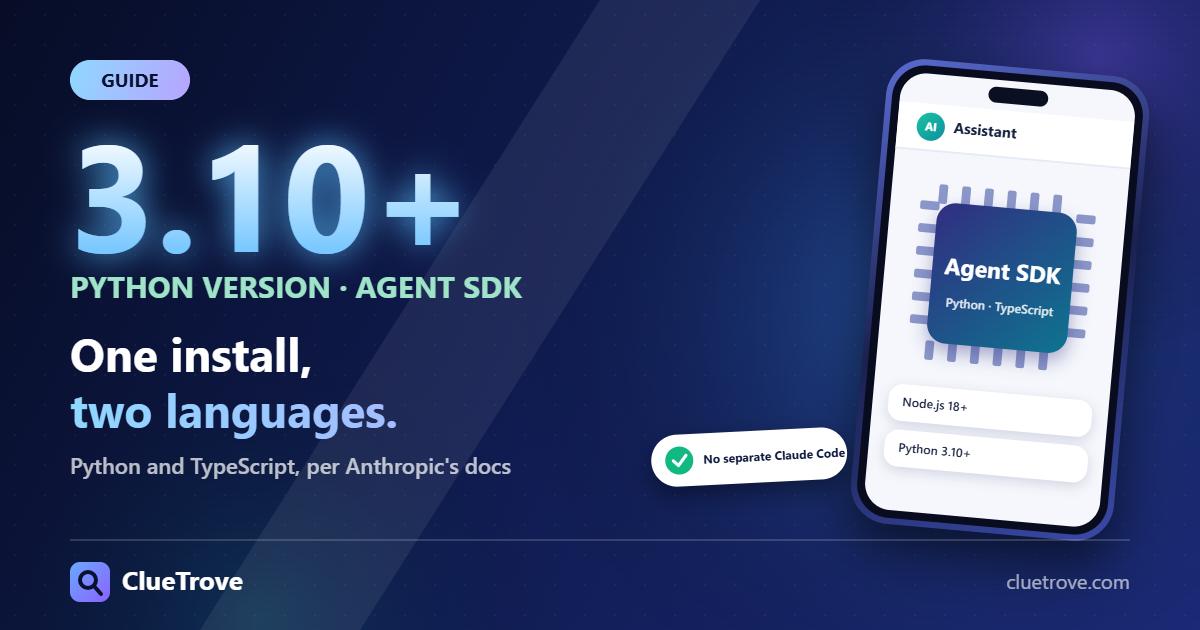
Install the Claude Agent SDK with npm install @anthropic-ai/claude-agent-sdk for TypeScript or pip install claude-agent-sdk for Python, then set ANTHROPIC_API_KEY. You need Node.js 18+ or Python 3.10+, and most installs need no separate Claude Code.
The SDK gives you Claude Code’s “tools, agent loop, and context management” as a library. Anthropic’s docs list built-in tools, hooks, subagents, MCP, permissions, sessions, skills and plugins. Facts below come from Anthropic’s docs checked on 20 October 2026. I did not run the SDK.
The short answer
- What it is: a library that runs Claude Code’s agent loop and tools from your own code.
- Languages: Python and TypeScript. For anything else, run the CLI as a subprocess with -p –output-format json.
- Install: npm install @anthropic-ai/claude-agent-sdk or pip install claude-agent-sdk (uv add claude-agent-sdk also works).
- Auth: set ANTHROPIC_API_KEY. Bedrock, Vertex, Foundry and Claude Platform on AWS also work through environment variables.
What do you get?
| Capability | Documented |
|---|---|
| Built-in tools | The same tools Claude Code uses |
| Agent loop and context management | Handled by the SDK |
| Hooks, subagents, permissions | Supported |
| MCP servers | Supported; see what MCP is |
| Sessions, skills, plugins | Supported; see Claude Skills |
How do you install it?
Pick the command for your language.
- TypeScript: npm install @anthropic-ai/claude-agent-sdk
- Python with uv: uv add claude-agent-sdk
- Python with pip: pip install claude-agent-sdk
Prerequisites per Anthropic: Node.js 18 or later, or Python 3.10 or later. The quickstart names Node.js 18.14 as the floor for TypeScript. Both SDKs bundle a native Claude Code binary, so most installs do not need a separate Claude Code install.
Two cases have no bundled binary, according to the quickstart. If pip installs the source distribution instead of a platform wheel, for example on ARM64 Windows, install Claude Code natively. If you install TypeScript dependencies while skipping optional ones, such as with npm ci –omit=optional, reinstall without that flag or point pathToClaudeCodeExecutable at a native install.
How do you authenticate?
Set ANTHROPIC_API_KEY from the Claude Console. See how to get a Claude API key. On macOS and Linux use export; in Windows PowerShell set the variable on $env. The SDK reads the key from the environment of the process that runs your agent. It does not load .env files for you, so load them yourself before calling the SDK.
Anthropic’s docs also support Amazon Bedrock, Google Vertex, Microsoft Foundry and Claude Platform on AWS through environment variables. Anthropic does not allow third parties to offer “claude.ai login or rate limits” for their products unless previously approved. Use API key authentication instead.
What does a first agent look like?
The quickstart builds an agent that finds and fixes bugs in a small file. The core is one function, query. It returns a stream of messages while Claude thinks, calls tools and reports results. You pass a prompt and an options object.
The example pre-approves the Read, Edit and Glob tools and sets the permission mode to acceptEdits so file edits need no approval. Add Bash only when you want the agent to run commands. Other options include systemPrompt and mcpServers. A run ends with a result message whose subtype reads success.
Should you use the SDK or the Messages API?
Use the plain API when you write the loop yourself (see how to build an AI agent). Use the Agent SDK when you want Claude Code’s existing tools and loop without rebuilding them. Agent runs can spend tokens quickly, so set turn and budget limits.
Mistakes to avoid
- Do not expect a .env file to load itself. Set the key in the shell or load the file in code.
- Do not give an agent Bash access before you have read-only runs working.
- Do not ship a product that asks users to sign in with claude.ai unless Anthropic approved it.
Questions and answers
What is the Claude Agent SDK?
A library that exposes Claude Code’s tools, agent loop and context management for Python and TypeScript.
Do I need Claude Code installed separately?
Usually not. Both SDKs bundle a native Claude Code binary. The exceptions are source-distribution installs of the Python SDK and TypeScript installs that skip optional dependencies.
Can I use it from another language?
Yes, through the CLI. Anthropic says to run it as a subprocess with -p –output-format json.
Which Node.js and Python versions do I need?
Node.js 18 or later, or Python 3.10 or later.
How do I fix a “Not logged in” or “Invalid API key” error?
Set ANTHROPIC_API_KEY in the same shell where you run the agent. The SDK does not read .env files by itself.
Sources
Facts last checked on 20 October 2026; not run by us.